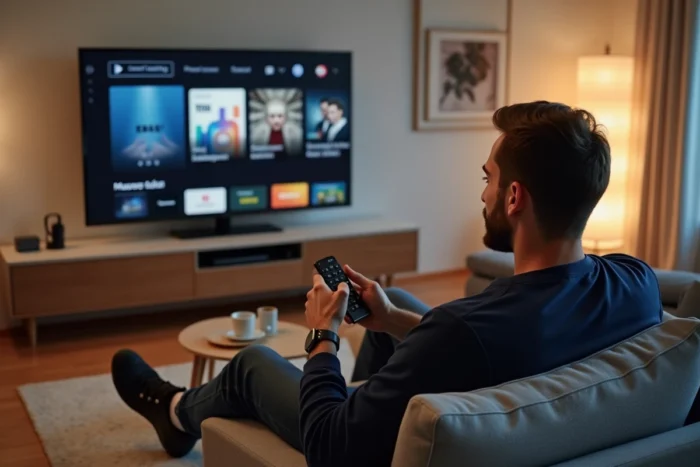
We connect the Samsung TV, open the menu, and find ourselves facing three application stores, a hub for free content, and a remote control that features a dedicated Netflix button. Before launching any movie, one must choose the right streaming method, the one that corresponds to their subscription, Wi-Fi network, and the exact model of the television.
Tizen and Streaming Application Compatibility on Samsung
The operating system of Samsung Smart TVs is called Tizen. Depending on the generation of the television, the version of Tizen determines which streaming applications can be installed and which remain inaccessible.
Models equipped with Tizen 5.0 and later versions (televisions sold from 2019 onward) provide access to the widest catalog. Netflix, Disney+, Amazon Prime Video, and the main French platforms appear directly in the integrated store. On these same models, Orange TV is available natively without an external decoder, provided you are an Orange or Sosh customer with the connected TV option.
On an older television (2015-2018), some applications no longer receive updates or disappear from the store. You then encounter an error screen upon launch, without a clear explanation. In this case, the solution involves using an external device connected via HDMI (Chromecast, Fire TV Stick, Apple TV), which takes over from the aging Tizen system.
To check your version of Tizen, access the television settings, then go to the “About this TV” section. The model number and software version are displayed there. This check takes a few seconds and saves time searching for an application that will never exist on your model.
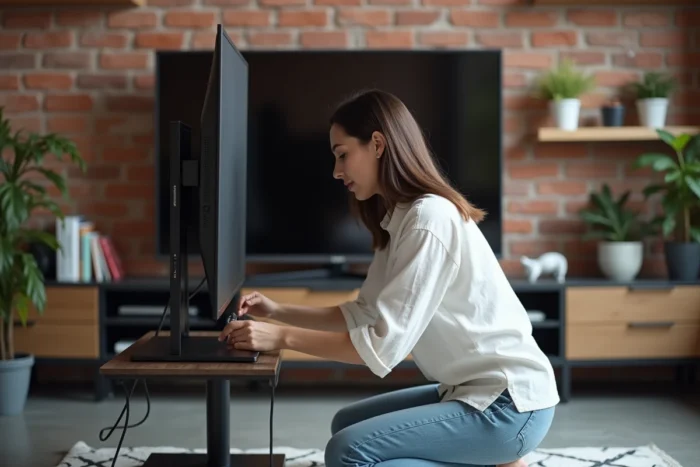
Setting Up Wi-Fi and Resolving Slowdowns Before Launching a Movie
A common issue arises when trying to watch a movie in streaming on a Samsung smart TV: buffering in the middle of a scene. The cause is rarely the application itself, but almost always the network.
A wired Ethernet connection remains the most reliable method. A cable connected between the router and the TV’s RJ45 port stabilizes the speed and eliminates micro-cuts related to Wi-Fi interference. For those who cannot run a cable, a powerline adapter (CPL) is a decent compromise.
On Wi-Fi, favoring the 5 GHz band over the 2.4 GHz band makes a noticeable difference in fluidity. The 5 GHz band offers higher speeds at short distances, which is well-suited for a living room where the router is just a few meters from the TV.
A tip circulates regularly for Samsung TVs that slow down after several months of use. It involves clearing the application cache from the settings, then restarting the TV via the menu (not just by pressing the standby button on the remote, but by performing a complete restart). This process takes a few seconds and often restores the system’s responsiveness.
Samsung TV Plus and Free Content Without Subscription
Samsung TV Plus is pre-installed on Samsung Smart TVs. This free service, funded by advertising, provides access to live channels covering news, sports, entertainment, and documentaries. No registration or subscription is required to access it.
The service operates in two complementary ways:
- The “Live” mode offers continuous streaming channels, like traditional television. You can switch from one channel to another via a program guide organized by genre.
- The “Discover” mode displays on-demand content, categorized by theme. You choose a program and launch it whenever you want.
- Both modes coexist within the same application, accessible from the home screen without additional manipulation.
Samsung TV Plus does not replace a Netflix or Disney+ subscription for accessing recent movie catalogs, but it meets a real need when you want to launch a program quickly without pulling out your credit card.
Streaming from a PC or Phone to the Samsung Screen
You don’t always have the desired content on an application available in the Tizen store. In this case, streaming from another device opens up additional possibilities.
From a Smartphone or Tablet
The Smart View function (Samsung) or AirPlay compatibility (on recent models) allows you to duplicate a phone’s screen on the TV. You launch the movie on your mobile application, tap the cast icon, and the image appears on the big screen in a few seconds.
Feedback varies on this point: the quality of screen duplication heavily depends on the stability of the local network. For a more reliable result, it’s better to use the “cast” function integrated into applications (Netflix, YouTube) rather than full screen duplication.
From a Windows or Mac PC
Recent Samsung Smart TVs offer a “PC on TV” function that allows you to take control of a computer directly from the television. You access your desktop, open a browser or media player, and launch the movie. This method works without a physical HDMI connection, only via the local network.
For those with a media library stored on a hard drive, Plex remains a solid solution. The Plex application is available on the Samsung store. It plays files hosted on a local server (a powered PC, a NAS) and streams them to the TV with automatic subtitle management and transcoding.

Bypassing Geographical Restrictions on Samsung Smart TV
Samsung blocks the installation of VPN applications directly from the Tizen store. To access streaming catalogs available in other countries, you need to use an external solution:
- Configure a VPN directly on the router, which covers all devices connected to the home network, including the TV.
- Plug a streaming stick (Fire TV Stick, for example) into an HDMI port on the TV and install a VPN from the stick’s store.
- Use a Smart DNS service, which redirects traffic without encryption but is sufficient to unlock regional catalogs.
Each method has its limitations. The router configuration requires access to the administration interface and a compatible router. The HDMI stick adds an additional device and remote control. The Smart DNS does not protect the connection; it merely changes the apparent location.
The choice of method depends on the level of technical comfort and the equipment already available at home. For most uses, the HDMI stick with integrated VPN remains the simplest solution to set up and maintain on a daily basis.